
Commercial Site Improvements Covered by ALTA Table A
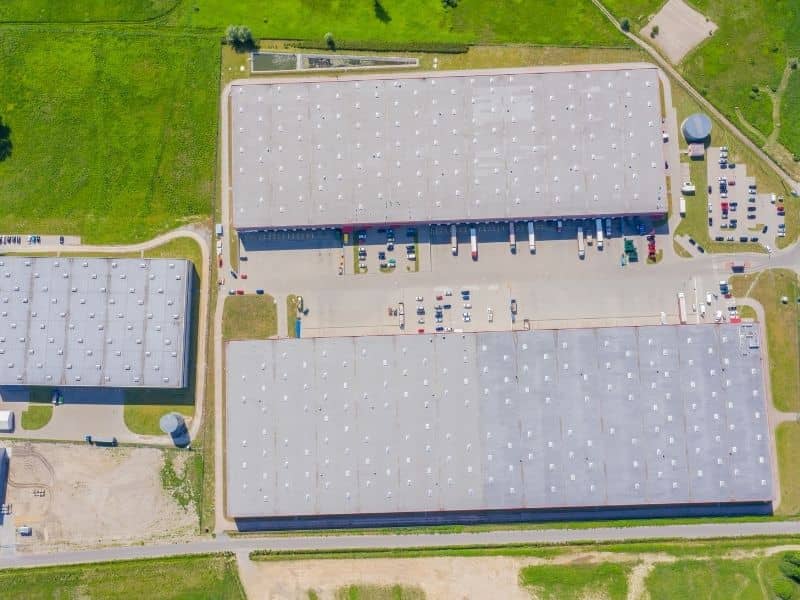
Commercial sites tend to change after the first building goes up. An owner adds a storage building, paves a truck court or widens the parking lot, and the old drawings fall behind. The ALTA Table A list is how you tell the surveyor which of those improvements need extra detail on your ALTA/NSPS Land Title Survey.
Get that list right before fieldwork, and the finished survey shows the site you’re actually buying, leasing or financing. Many commercial properties have a mix of original and newer improvements. A clear Table A order keeps those changes from slipping through the review.
Matching ALTA Table A Requests to Existing Site Conditions
Table A is a menu of optional items you add to a standard ALTA/NSPS survey. The base standards already call for the surveyor to show the buildings and other improvements they observe on the property. Table A goes further and adds specific measurements and details your lender or buyer may want.
The 2026 ALTA/NSPS standards took effect on February 23, 2026. Under them, a few items do most of the work on improvements. Item 7 covers building measurements, while Item 8 covers substantial features the surveyor sees in the field. Parking information falls under Item 9. The new Item 20 provides a summary table of potential encroachments if requested. For additional requirements, Item 21 replaces the old write-in slot and covers anything extra you and the surveyor agree on.
Before you check boxes, compare the list to the property itself. Walk the site or look at recent aerial photos, and write down what’s there. A lender’s standard checklist may not fit a property with three outbuildings and a fenced storage yard. The 2026 Table A also notes that state law or local rules can make some “optional” items mandatory, so ask your surveyor whether any apply to your site.
Documenting Paved Areas, Loading Zones, and Circulation Features
Under ALTA Table A, paved areas are addressed through Item 8 and Item 9. Item 8 picks up substantial features the surveyor observes, such as parking lots, signs and landscaped areas. Item 9 adds parking details like striping and the number and type of spaces.
Loading zones need a closer look. A dock apron, truck court or ramp shows up as part of the site’s paved surface, but your team may want more than an outline. If you need dock door counts, ramp grades or clear widths for truck access, say so in writing, because those details go past the standard item wording.
Circulation features tie the whole site together. Drive aisles, curb cuts, one-way lanes and the points where traffic enters from the street all affect how the property works day to day. The survey shows where these features sit relative to the boundary, which helps a buyer spot pavement that runs onto a neighbor’s lot or into a right-of-way.
Accounting for Detached Structures and Secondary Site Improvements
Detached structures count just as much as the main building. Item 7 can provide exterior dimensions, footprint square footage and building height, and the request covers every building on the property unless you limit it. Decide up front whether you need those numbers for the main building only or for each structure on site.
Secondary improvements often sit at the edges of a commercial lot, close to property lines and easements. Many of them never appear on the original site plan. Items worth listing for the surveyor include:
- Storage buildings and guard houses
- Dumpster enclosures with screening walls
- Canopies, carports and covered walkways
- Generator pads and transformer pads
- Pole signs, light poles, fences and gates
These small items cause trouble when they cross a line nobody checked. A fence that wanders past the boundary or a dumpster pad inside an easement can hold up a closing. If you add Item 20, the surveyor summarizes potential encroachments in one table, though the surveyor won’t give a legal opinion on who owns what.
Identifying Improvements That Require Additional Survey Instructions
Some requests don’t fit the standard Table A wording, and those go under Item 21. The surveyor and client spell out each extra task in writing, often as sub-items like 21(a) and 21(b). The 2026 standards also require the survey to explain any Table A item you changed by agreement.
Common write-in requests include the number of building stories, internal tax parcel lines and specific measurements for an outdoor feature. If you want design-level detail for future site work, the Table A note sends engineering design surveys to Item 21 as well. Name the exact feature and the exact measurement you need so the surveyor can price and plan it.
Recent work on site is another flag. Item 16 asks the surveyor to note evidence of recent earth moving, building construction or building additions they observe during fieldwork. On a property with active construction, a short call about what the surveyor should show, and as of what date, saves confusion later.
Finalizing Site Improvement Requirements Before Survey Authorization
Finalize your ALTA Table A selections before you sign the survey agreement. Pull together the lender’s survey requirements, the current title commitment and your own site notes, then compare them side by side. When those sources disagree, sort it out with your lender and surveyor before the crew goes out.
Put “2026 ALTA/NSPS Land Title Survey” in the request so nobody works from older standards. Ask the surveyor how they’ll handle temporary items, gated yards and tenant spaces they may not reach. Get each answer in writing as part of the scope.
In Florida, a licensed surveyor and mapper signs and seals the survey under Chapter 472 of the Florida Statutes. For a deal on a tight schedule, setting Table A early gives that professional time to plan fieldwork around the site’s real improvements. Late changes can push back the delivery date and may change the fee.
Frequently Asked Questions
Can an ALTA survey document improvements added by a previous property owner?
Yes. The survey shows what’s physically on the site during fieldwork, no matter who built it or when. It won’t tell you whether a former owner got permits for that work, so check permit records separately.
Are temporary construction trailers included in ALTA Table A documentation?
No Table A item targets trailers by name. A surveyor may note a trailer they see in the field, and Item 16 can flag signs of recent construction. If you want the trailer shown or left off, agree on that before fieldwork begins.
Can a client request separate measurements for specific outdoor improvements?
Yes, through Item 21. You describe the feature, such as a canopy, sign or retaining wall, along with the measurement you want. The surveyor then quotes that task and lists it on the survey as a negotiated item.
